test frameworks
You can use httpdbg to trace the HTTP requests in your tests using pyhttpdbg
pytest
Here is an example of test file:
import pytest
import requests


@pytest.fixture(scope="session", autouse=True)
def get_in_a_fixture():
    requests.get("https://httpbin.org/get/session/setup")
    yield
    requests.get("https://httpbin.org/get/session/teardown")


@pytest.fixture()
def post_in_a_fixture():
    return requests.post("https://httpbin.org/post", json={"demo": "in-fixture"})


def test_post(post_in_a_fixture):
    assert post_in_a_fixture.status_code == 200
    assert (
        requests.post("https://httpbin.org/post", json={"demo": "in-test"}).status_code
        == 200
    )


def test_get():
    assert requests.get("https://www.example.com").status_code == 200
You can use pyhttpdbg to execute pytest like for any module.

Open http://localhost:4909

In that case, the requests are grouped by test, but you can switch to grouping them by initiator by changing the view mode in the UI.
When an HTTP request is sent from a fixture, the name of the fixture is displayed in the UI. If you prefer not to see this information, you can choose to hide the tags in the UI settings. See User interface > Configuration for more details.
pytest-httpdbg
You can use the pytest plugin pytest-httpdbg to save the trace of the HTTP requests in your test report.
installation
pytest-httpdbg is available on pip.
usage
The following options are added to the pytest command line:
reporting:

  --httpdbg                                 record HTTP(S) requests
  --httpdbg-dir=HTTPDBG_DIR                 save httpdbg traces in a directory
  --httpdbg-no-clean                        do not clean the httpdbg directory

  --httpdbg-allure                          save HTTP(S) traces into the allure report
  --httpdbg-only-on-failure                 save the HTTP requests only if the test failed

  --httpdbg-initiator=HTTPDBG_INITIATOR     add a new initiator (package) for httpdbg
allure test report
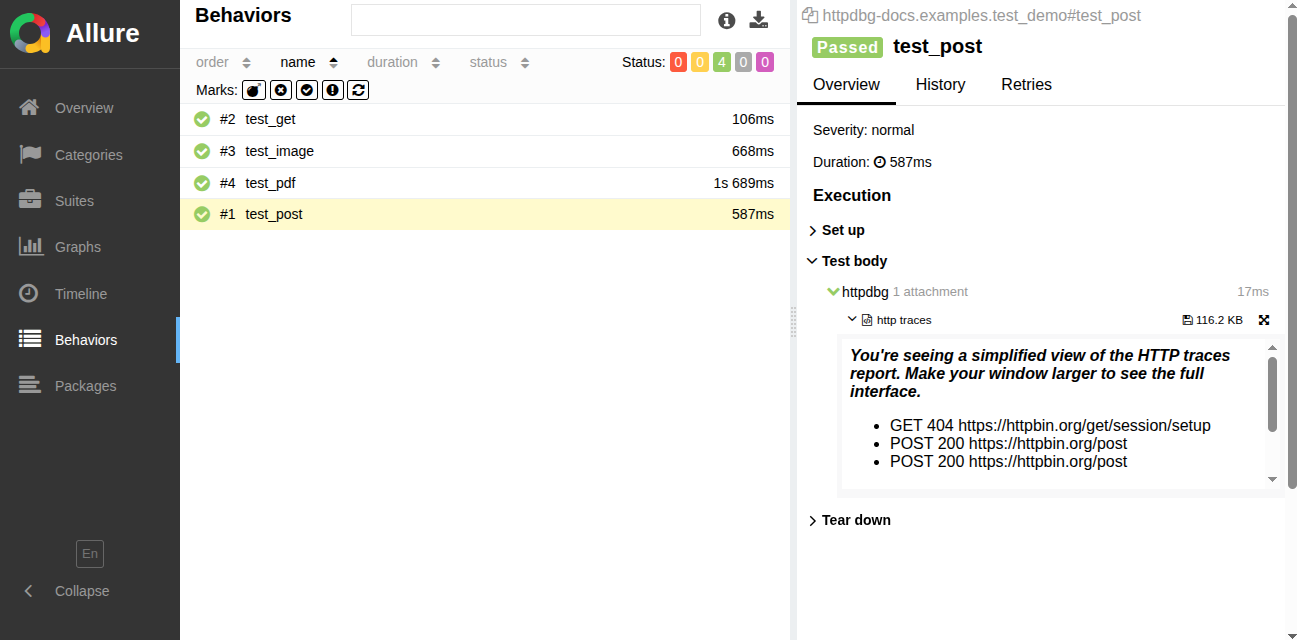
If you use the allure-pytest plugin to generate an Allure report, you can use pytest-httpdbg to include HTTP request traces in your test report without any code modifications.
All you need to do is add the --httpdbg-allure option to your pytest command line:
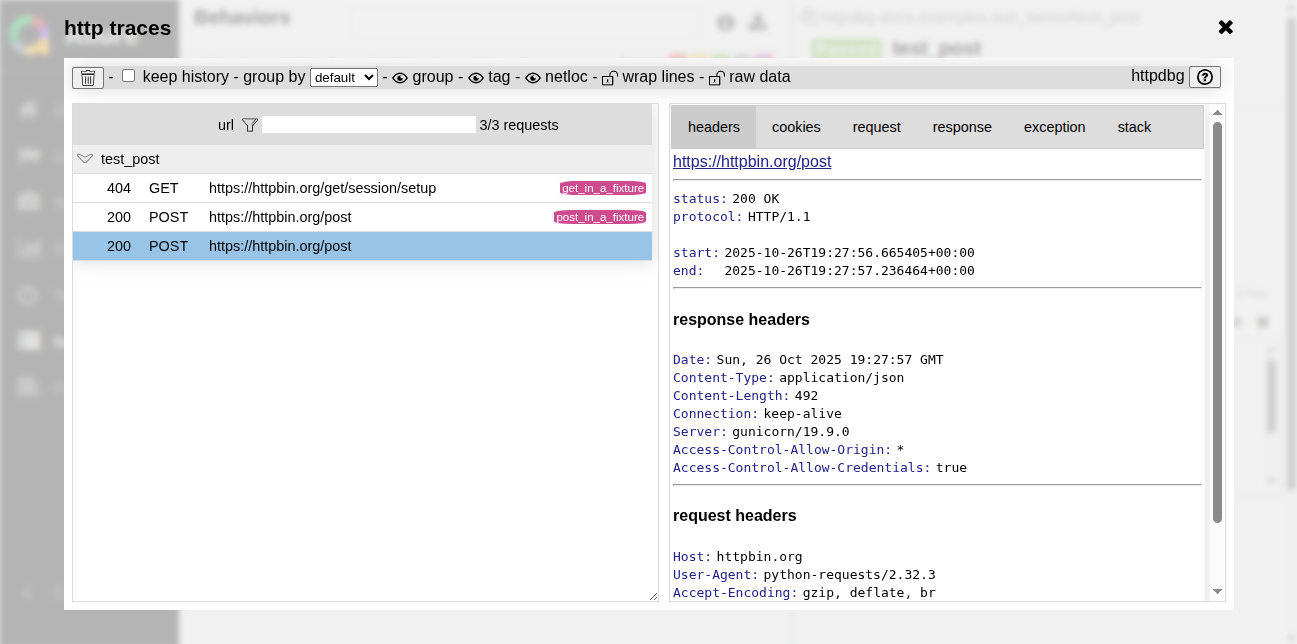
If an HTTP request is made by the test (or within a fixture, during the setup or teardown phase), a HTTP traces report will be saved in the Allure report under a step called httpdbg.
compact mode
full mode
others test report
You can add HTTP traces to any test report of your choice. To do this, you can use the HTTP traces saved by the plugin in Markdown format.
When a test finishes (including the teardown step), a log file in Markdown format is generated. The path to this log file is stored in the test item when the test starts (before the setup step), even if the file does not yet exist.
For this example, we will use pytest-html to generate the report.
You can copy the following code in your top-level conftest.py to include the logs into your report.
import os

import pytest

from pytest_httpdbg import httpdbg_record_filename


@pytest.hookimpl(hookwrapper=True)
def pytest_runtest_makereport(item, call):
    pytest_html = item.config.pluginmanager.getplugin("html")
    outcome = yield
    report = outcome.get_result()
    extras = getattr(report, "extras", [])

    if call.when == "call":
        if httpdbg_record_filename in item.stash:
            extras.append(
                pytest_html.extras.url(
                    os.path.basename(item.stash[httpdbg_record_filename]),
                    name="HTTPDBG",
                )
            )
            report.extras = extras
This example works if you use the same directory for the html test report files and the httpdbg logs. If this is not the case, you must adapt it to your configuration.
Run the tests using the pytest command.

Open the test report in a browser.

There is a link to an HTTPDBG trace export for each test. Open it using a markdown viewer.

unittest
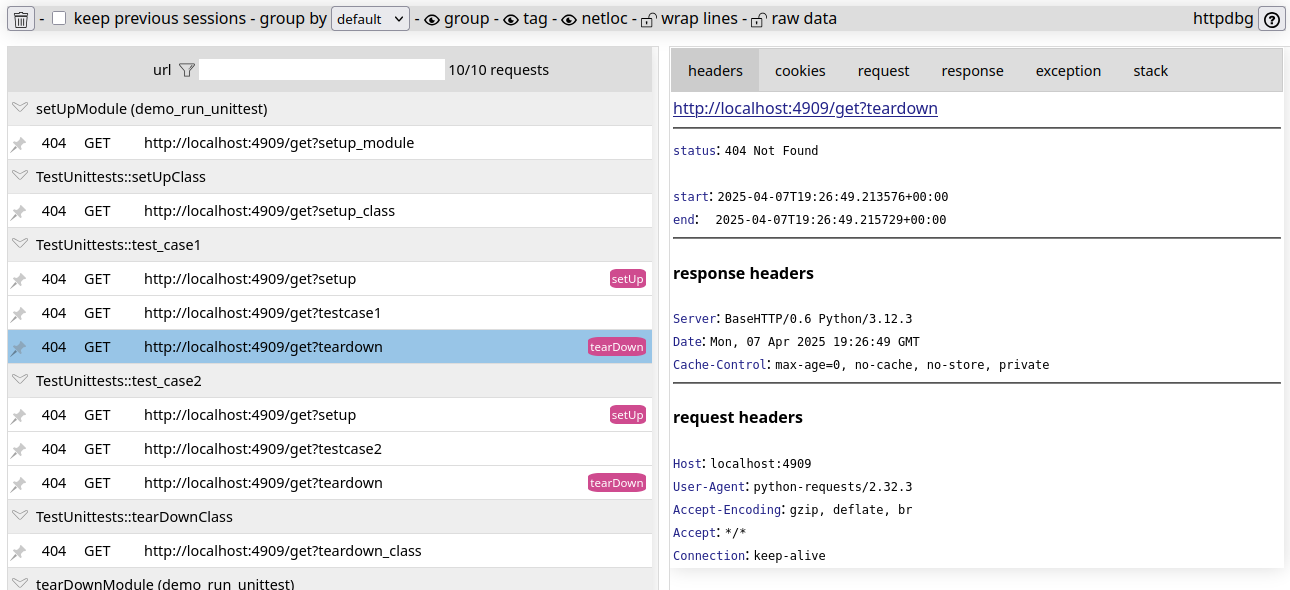
If you run your unittest tests using pyhttpdbg, the HTTP requests will be grouped by test/setup/teardown methods.